

What Vaivén stores, where, and who can see it
What Vaivén does and doesn’t do with what you write. Last reviewed: 27 October 2026.
Summary
Vaivén has no server and no account. What you write stays on your iPhone, and we can’t see it.
What the app stores and where
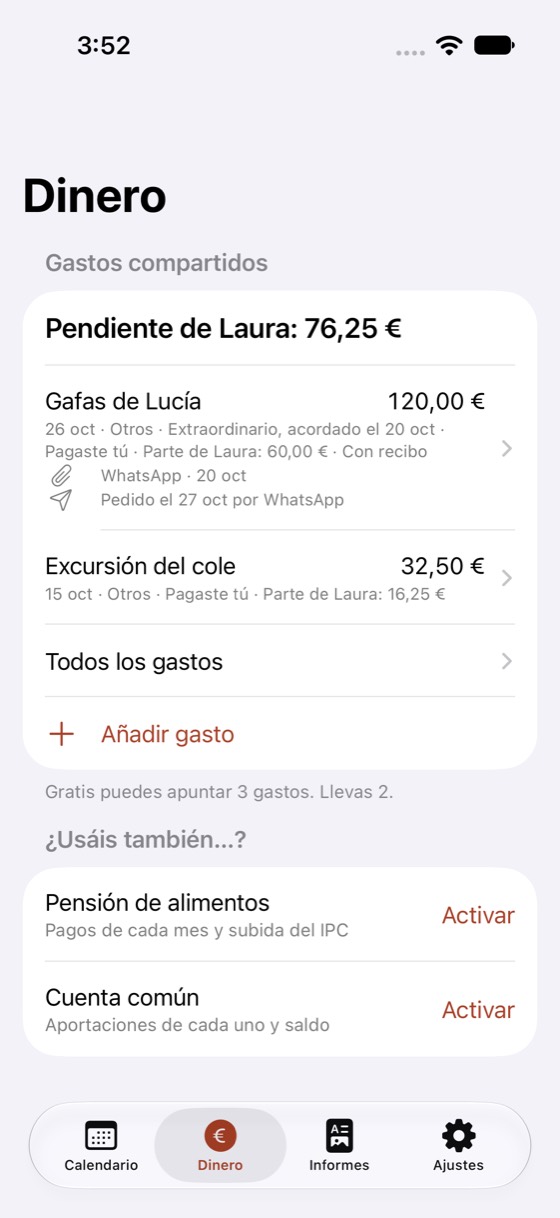
Who the children are with each day, expenses, child maintenance, the joint account and notes are stored only on your iPhone. They aren’t sent to any server of ours because we don’t have one.
If you turn on ‘Keep in my calendar’
It’s optional. Vaivén writes who they’re with and the handovers into a calendar called ‘Vaivén’ on your iPhone, and it only touches that one. That calendar is stored with your other calendars (iCloud or Google, if your account syncs them). The app tells you this before it asks for permission, and you can turn it off whenever you like.
What it doesn’t do
- We don’t ask you to create an account or a password.
- We don’t use ads or third-party analytics.
- We don’t ask for your location. The handover place is text you type.
- We don’t notify the other parent of anything. They can’t get into your app through it.
Outside the app
Apple handles the purchase with your Apple ID. We don’t see your payment details. If you export a report or a calendar and send it to someone, you share it and you decide who gets it. If you write to us and attach something, we do see that.
If the other parent, or anyone, uses your unlocked iPhone or your Apple ID, they’ll see what you see. That’s why it’s worth being careful about who has access to your phone. The Face ID lock is optional and helps if someone else uses your iPhone, but it doesn’t replace a safety plan.
Receipts and reminders
Receipt photos are read on your iPhone, not on a server. If your iPhone can’t read one, you fill in the expense by hand. Reminders are worked out on the iPhone. If you turn on discreet reminders, the ones about changes and expenses show no names or times on the lock screen.
The CPI for child maintenance
If you keep track of child maintenance, Vaivén includes the CPI the INE (Spain’s statistics office) has published. If the month you need is missing, and only if you agree, it asks the INE’s website for it: it downloads the same public table anyone can, with nothing of yours. The INE sees the request just as it would if you opened its website. You can turn it off and type the percentage yourself.
Privacy and security
What you record stays on your iPhone. We can’t see it and have no way to.
No account
It asks for no sign-up and no password. You open the app and start.
No server
Vaivén has no server, so there’s no place where your children’s data is kept. It works offline.
Your data screen
In Settings it explains what is stored and where.
FreeLock with Face ID
Optional. Touch ID or the iPhone passcode also work, and the app is hidden in the app switcher.
FreeReminders without names
On the lock screen, reminders show no names.
FreeReceipts read on your iPhone
The receipt photo is read on the iPhone itself.
The other parent has no access
They don’t need the app and can’t see yours. There’s no chat, no alerts to them and no ‘seen’. You decide what you send them.
If you need help
A screen with 016 (domestic abuse helpline), ANAR (helpline for children and teenagers) and 112 (emergencies). If there’s violence or fear, an app isn’t the right tool.
Free
If you turn on ‘Keep in my calendar’, the ‘Vaivén’ calendar is stored with your other calendars (iCloud or Google, if your account syncs them). We tell you before asking for permission.
Accessibility
Vaivén uses the accessibility settings on your iPhone. This is what it does today.
- With VoiceOver
- Every button says what it is and what it does. The app’s own announcements, such as a change of month, are read aloud.
- With large text
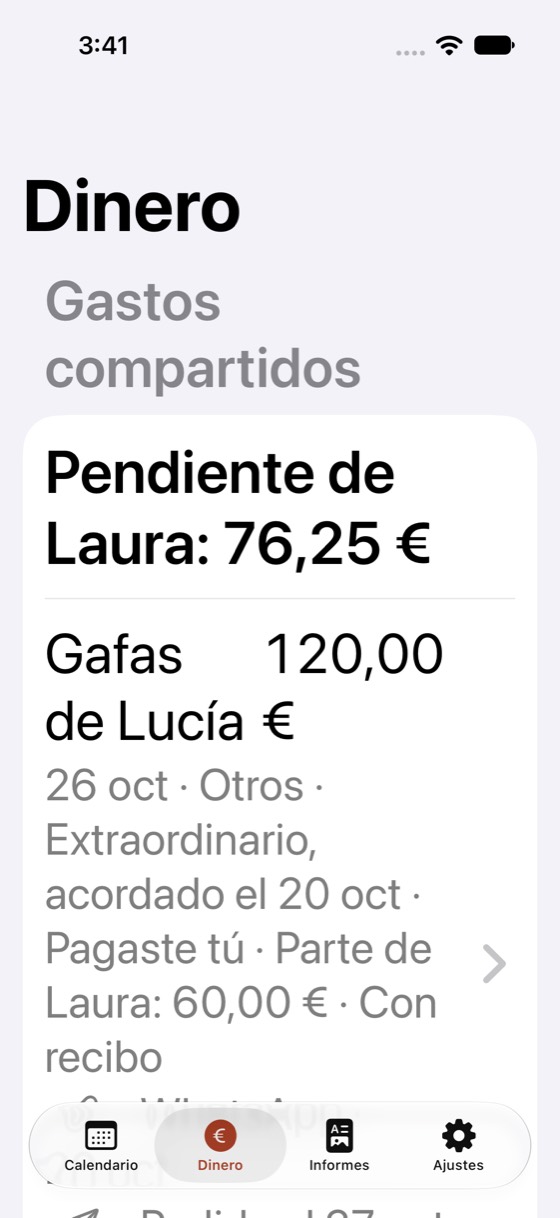
- It follows the text size you set on your iPhone, including the accessibility sizes. Fields and rows stack one under the other so nothing is cut off. The calendar scales up to one of the larger sizes so the month still fits.
- Contrast
- Text meets the minimum contrast that accessibility standards ask for, in light and dark, and the app respects ‘Increase Contrast’.
- Colour
- Each parent has a colour and an initial, so you don’t have to tell them apart by colour alone.
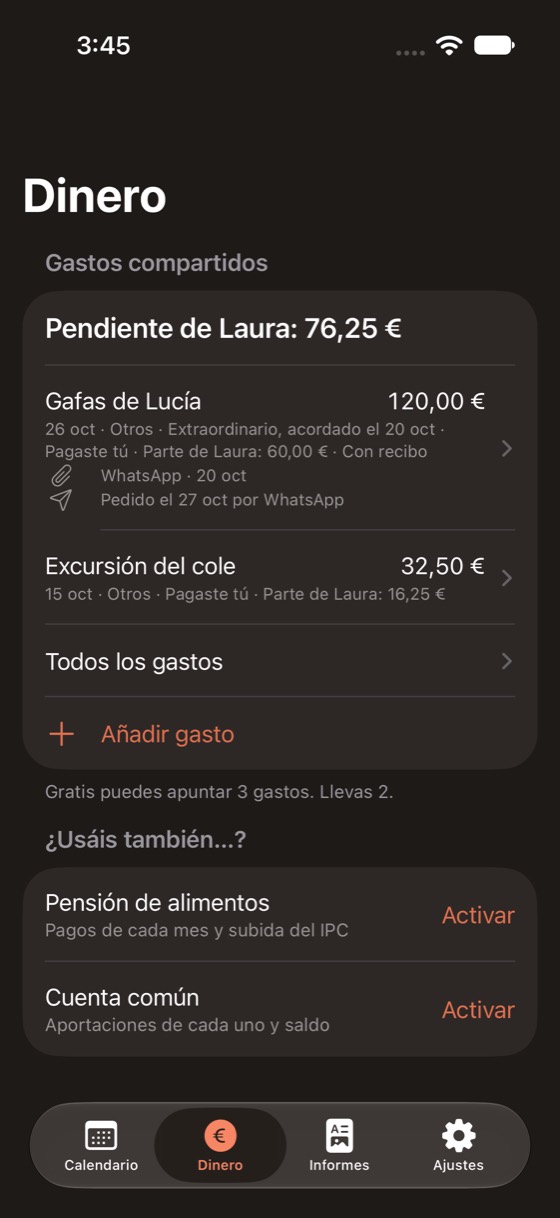
- Dark mode
- The app follows the light or dark mode of your iPhone.
The app, the widget, notifications and the PDF report use the iPhone’s language, and English for any other. Names and notes you have already saved stay in the language you wrote them in.
This website
It uses no cookies, no third-party analytics and no fonts loaded from other servers. The notify button opens your email app with a message already written; there’s no form and we store nothing until you write to us. If you write to us, we’ll use your email only to tell you about the launch.
Contact: info@vaivenapp.com